
Part of Plentora
High School Gateway

Your graduates, verified.

Confirm your students once, follow every university application as it moves, and see where they land. Built for counsellors. Free for your school.

Already invited? Sign in at gateway.paramountstudents.com
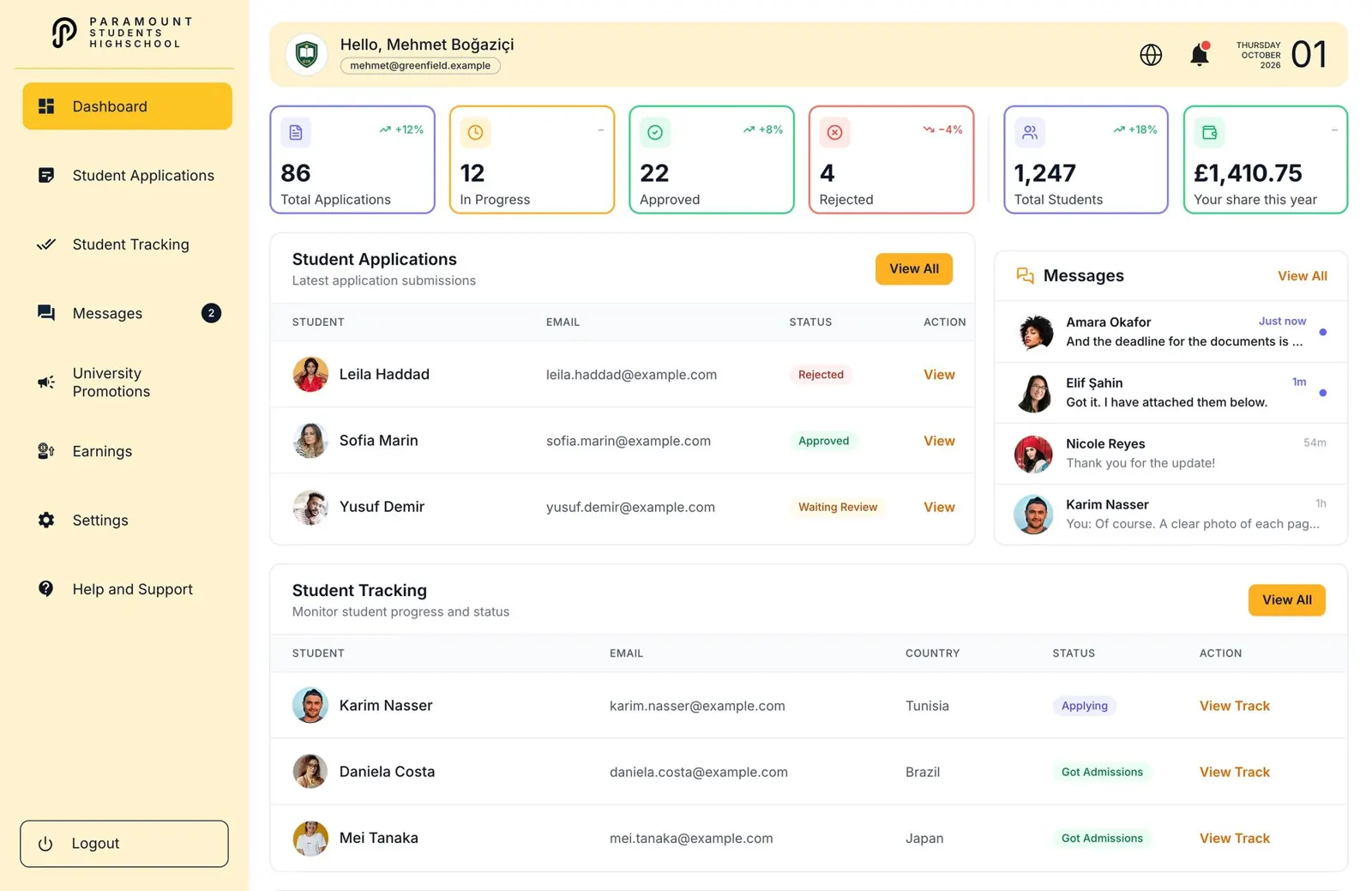
the real Gateway · sample data
3 students wait for youPapers sent · today
Free for the schoolNo set-up, no yearly fee
Confirm onceEvery university sees the mark
Follow every applicationFrom sent to enrolled
A code and a posterStudents find you in seconds
What your school does

Three jobs. About five minutes a student.

1

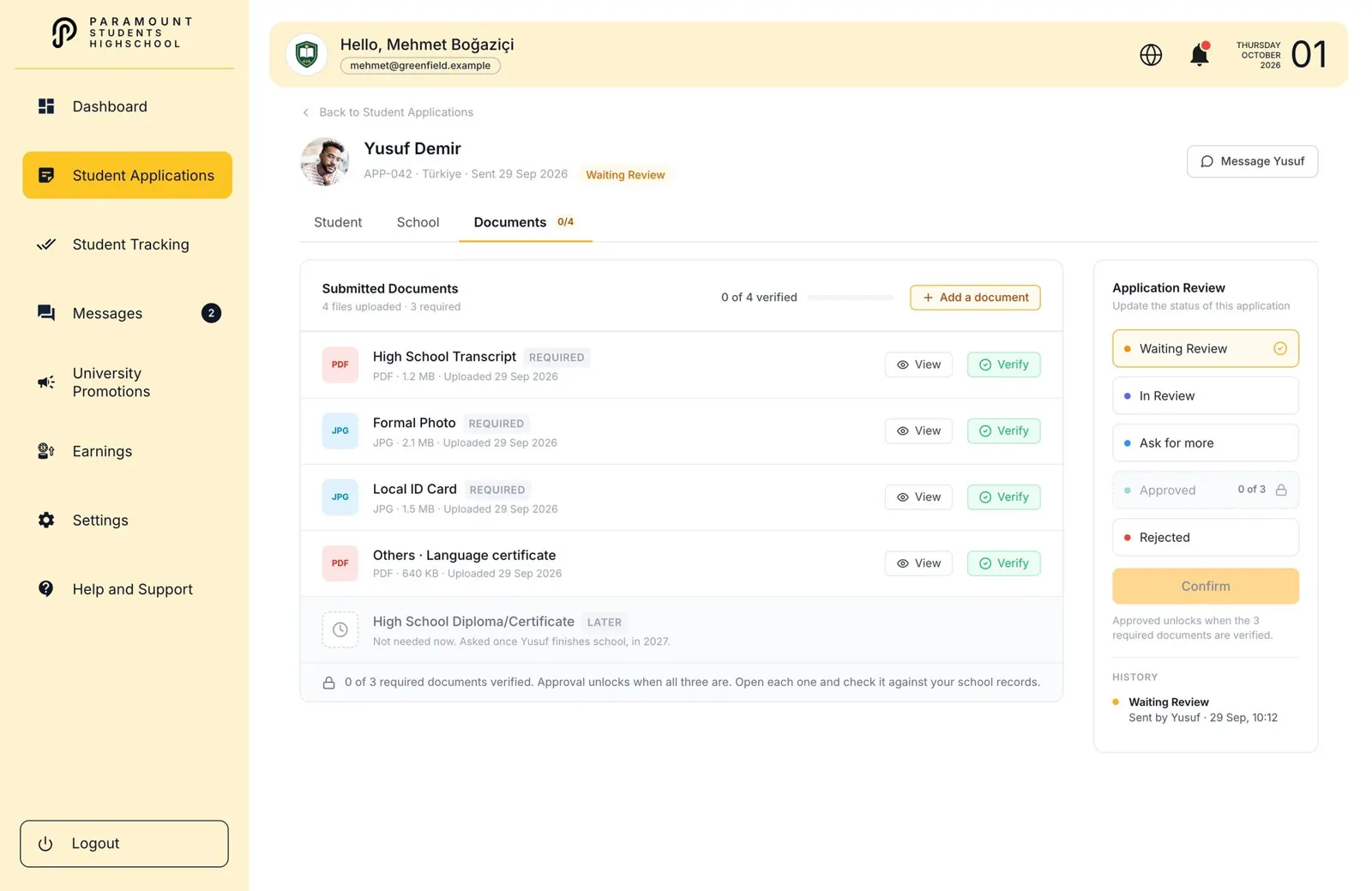
Confirm your students

A student sends an ID or passport, a photo and results. You check them against your own records and approve.

  • Approve unlocks only when the three papers are verified
  • “Ask for more” sends the student a checklist
  • The student tapped “Ask my school”? Add the results yourself
  • A gentle reminder after two days
gateway.paramountstudents.com/student-applications
Confirm your students
2

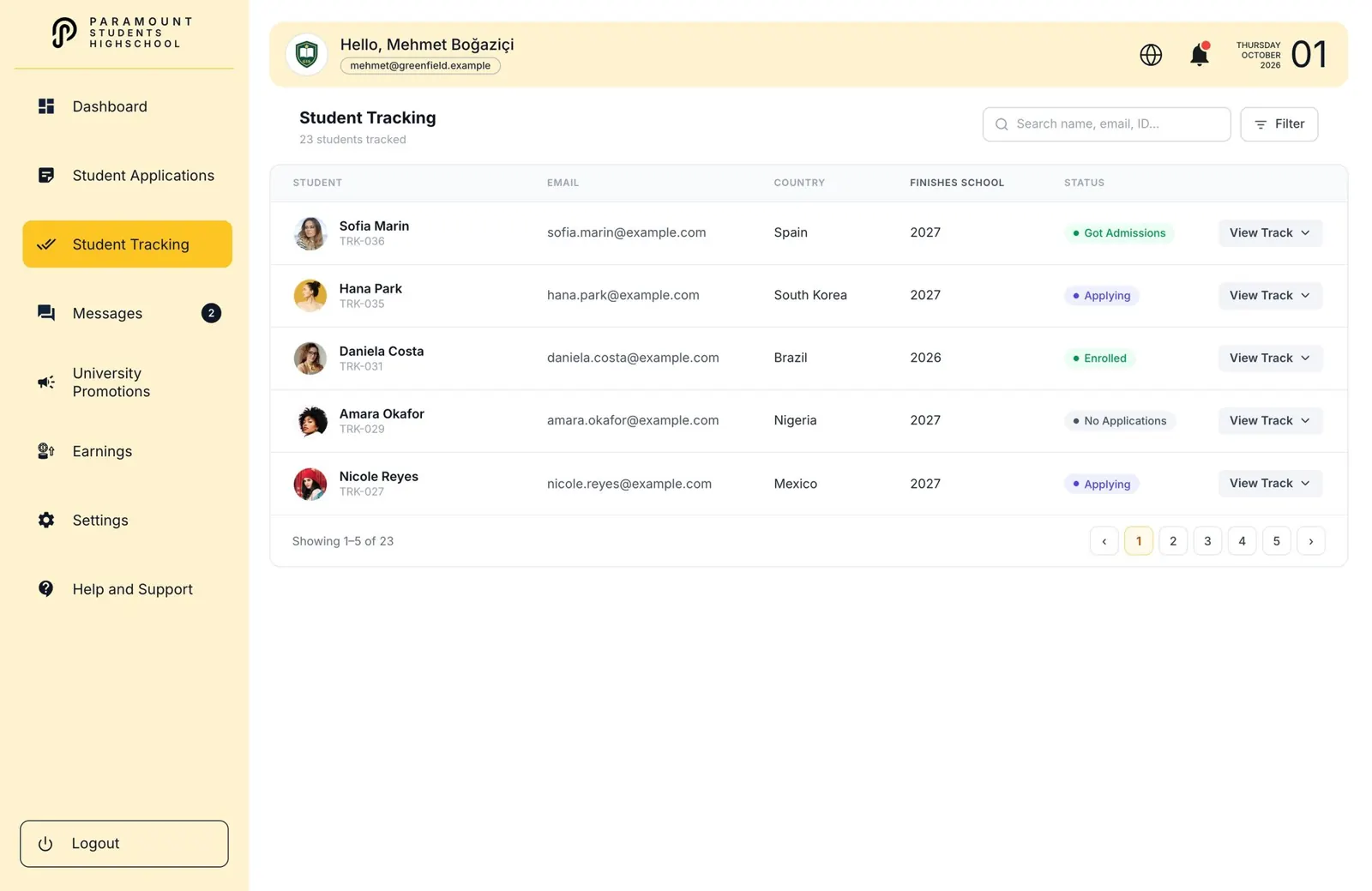
Follow every application

Each student’s applications, from sent to the university’s decision to enrolment.

  • A university can ask the school for one thing, by a date: a leaving certificate, a note
  • What you add arrives marked “verified by school”
  • Message a student from the row
gateway.paramountstudents.com/student-tracking
Follow every application
3

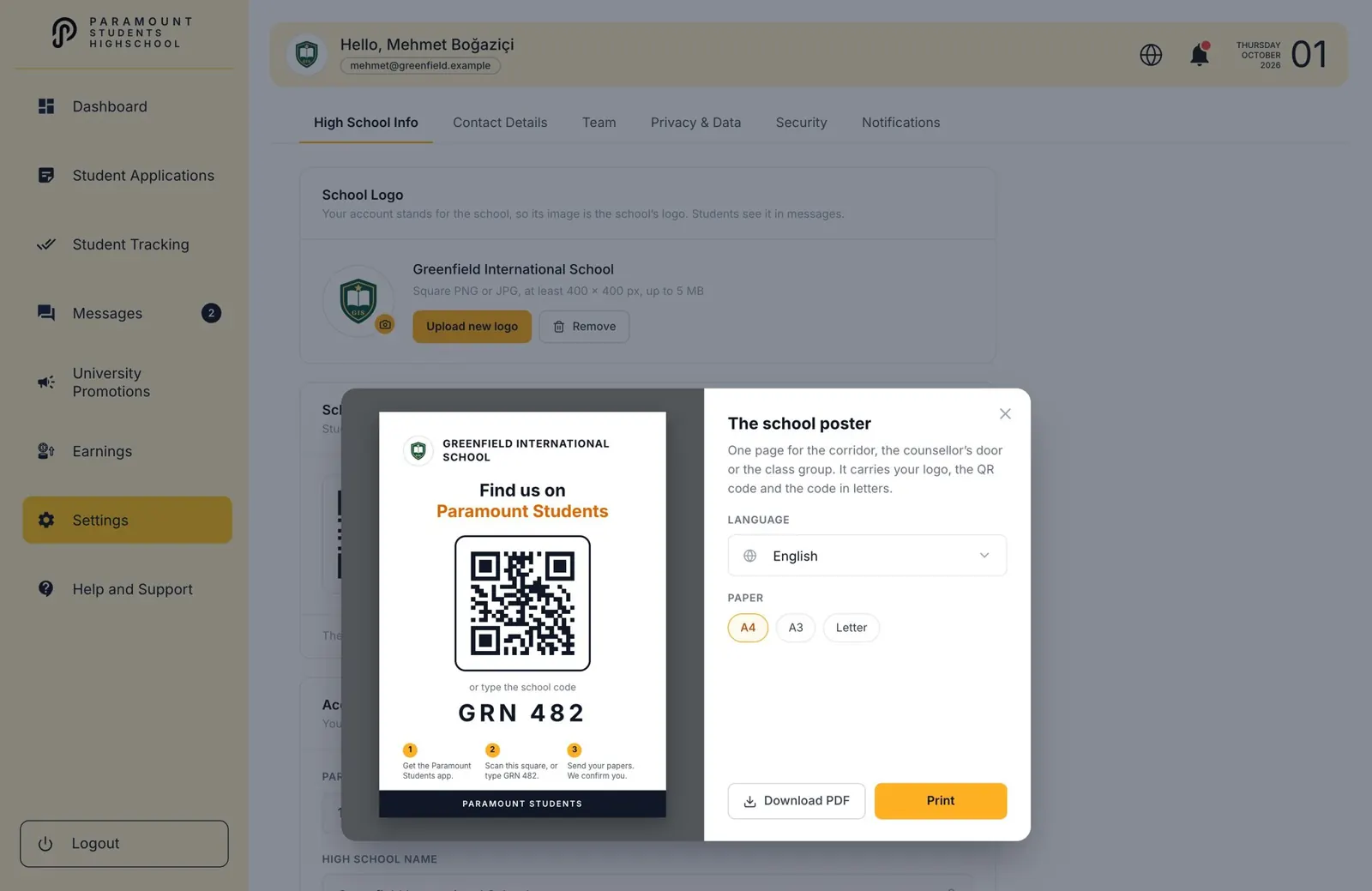
Bring students in with your code

Every school gets a code and a QR poster for the corridor or the class group.

  • Poster in English, Arabic and French
  • The code only finds the school: each student still waits for your yes
  • Change the code whenever you like
gateway.paramountstudents.com/settings
Bring students in with your code
You stay in charge

Your students come first. So does your say.

You see every ad shown to your students

Universities can pay to show a programme to the students of chosen schools. You see each one, can hide it with a reason, and can set quiet dates such as exam weeks.

What you see, and what you do not

The stage of each application and what a university asks of the school. Not the student’s messages, passport number or payment details.

Sharing starts switched off

Three switches in Settings decide what your school shares for analysis and research. All three start off.

One place to talk

Messages with your students and with our team. No phone numbers handed around.

Money, said plainly
Free for the school. When one of your students enrols, the university pays us, and we share part of it with you.

You may decline it

A school can say no to its share, once and for all or student by student.

You tell the family

If the school takes a share, it tells the pupil and the parents. It is written in the partner terms.

Paid to the school, never to a person

Monthly, by bank transfer, to an account in the school’s name, after the university has paid us.

Joining

How a school joins.

No paper to post. Most schools are live within a week of asking.

1

Ask

Request a demo, or write to us. Sometimes a student has already named your school.

2

We check the school

Name, country and city, and a person who may accept for the school.

3

An invitation by email

A link that lasts seven days. You choose your password.

4

First sign-in

Your details, privacy, what you share, then the agreement, accepted by a click. You are live at once.

Questions

Asked by counsellors and principals.

No. The High School Gateway is free, with no set-up fee and no yearly fee. We are paid by universities when a student enrols.

See it with your own students in mind.

Thirty minutes with a person from our partnerships team, or a three-minute film you can watch now.